
How to Buy KPop Concert Tickets
- Sarah Campaner
- Mar 3, 2022
- 3 min read

Updated: Mar 6, 2022
Concerts are back! And this means that your favourite KPop group is probably already on tour or has announced their tour dates. Either way, you want to go see them and one way or another you're determined to get tickets. Well, here's a guide, based from my own experience, on how you'll be able to secure those concert tickets.
Disclaimer: these steps are what worked for me for a concert in North America, the ticket buying process may be different depending on the country the concert is being held in.
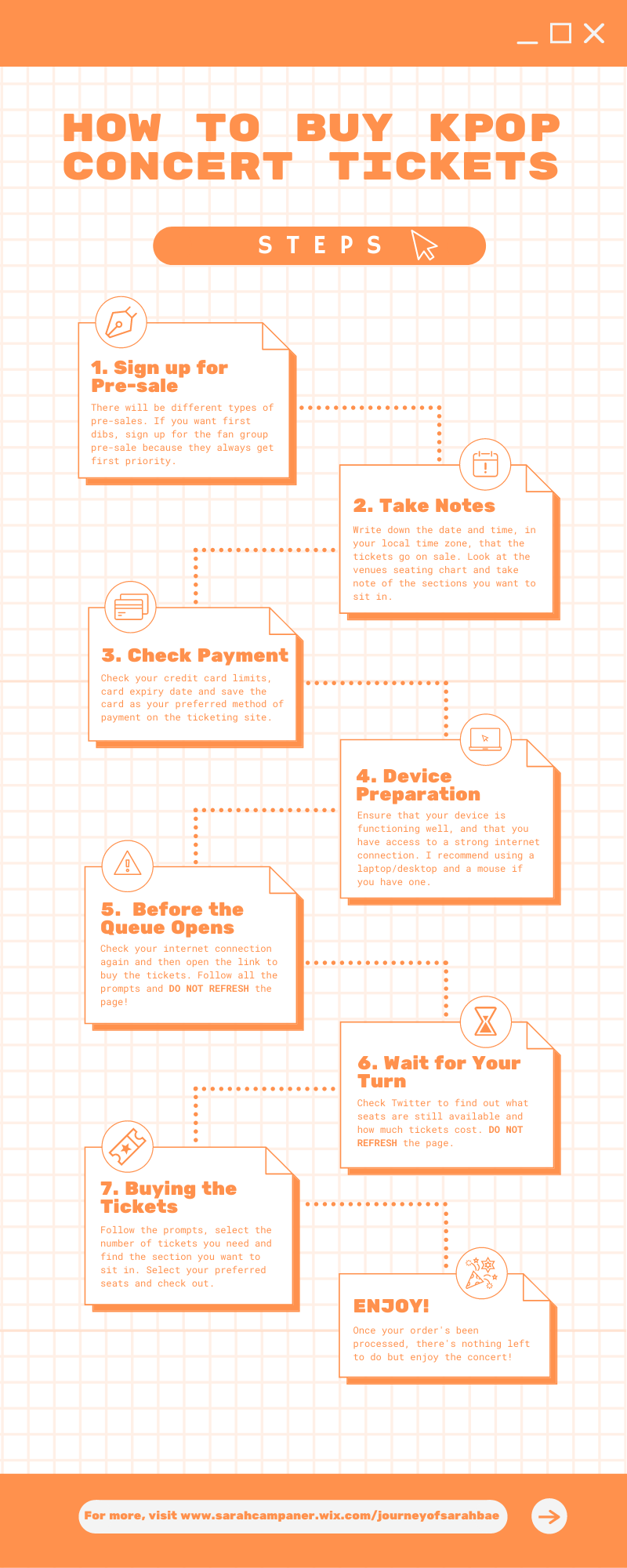
1. Sign up for Pre-Sale
There will be different types of pre-sales. If you want first dibs, sign up for the fan group pre-sale because they always get first priority. The other types of sales could be a verified fan pre-sale and the general fan sale.
2. Take Notes
Write down the date and time, in your local time zone, that the tickets go on sale. Look at the venue's seating chart and take note of the sections you want to sit in. Set up calendar reminders for when the ticket's go on sale and always have back up sections to sit in if you can't get seats for your first option.
3. Check Payment
Check your credit card limits, card expiry date and save the card as your preferred method of payment on the ticketing site. The ticket buying process moves very quickly and you don't want to lose your tickets because you didn't have your payment information ready.
4. Device Preparation
Ensure that your device is functioning well, and that you have access to a strong internet connection. I recommend using a laptop/desktop and a mouse if you have one. Laggy devices will not be your best friend and you don't want your laptop restarting on you when you're about to check out.
5. Before the Queue Opens
Check your internet connection again and then open the link to buy the tickets. Follow all the prompts and DO NOT REFRESH the page! I repeat, DO NOT REFRESH the page, most ticket sites will automatically take you to the next page; if you do refresh, you'll be sent to the back of the line.
6. Wait for Your Turn
Check Twitter to find out what seats are still available and how much tickets cost. DO NOT REFRESH the page. Twitter will be your best friend in this time since some sites don't release the ticket prices before the pre-sale. Also, make sure you've copied your unique code so you're not fumbling with finding it because once you're in, you gotta move fast to get the tickets you want. And don't forget to breathe, it can be a nerve wracking time but be positive and try to stay calm so that you're making decisions with a clear mind.
7. Buying the Tickets
Follow the prompts, select the number of tickets you need and find the section you want to sit in. Select your preferred seats and check out. Make sure you have your credit card on you, just in case they need any extra information.
8. Enjoy!
Once your order's been processed, there's nothing left to do but enjoy the concert! If this concert requires you to travel, settle all those details as well but YOU'RE GOING TO THE CONCERT!
I personally used these steps when purchasing BTS tickets for both Los Angeles and Las Vegas, so I hope that these steps work you too!
To see my BTS LA concert experience, follow me on Instagram @sarahmaycee, and to see some film pictures I took while in LA click here.


Comments